Overview
(Jan – May 2026) I was a Lead Engineer, Version Control Specialist, and Project Manager for Marist University‘s Games & Emerging Media capstone project, Isles of Ethor. Below, you can check out my work in deploying the game, creating CI/CD workflows, and other in-game features.
Don’t forget to visit our Itch.io and the GitHub Releases page to download the game for both Windows and MacOS!
In this cozy puzzle game, Players assume the role of Sky, a young adventurer set on a mission to reunite her home and the other islands in the land of Ethor. Once a bustling and thriving nation, the land of Ethor flourished with magic from a powerful entity known as the Mother Crystal; that is, until a catastrophic event known as the Fracture separated each island. But that was years ago, and the newer generations of Ethor haven’t known a life without the land being broken. Can you help Sky bring the Isles of Ethor back together? Or are they destined to be broken apart forever?
- Developed in Unity & C#
- Coded in JetBrains Rider
- Version Controlled through GitHub and GitKraken
- Managed progress & deliverables through GitHub Projects and Issues
- Built GitHub Actions Workflows for CI/CD processes to remotely test and deploy the game
- Includes a custom-made MacOS workflow
- Created all 45 releases of the game and maintained the entire changelog with it
Versioning & Deploying
With a deep passion and fascination for version control, I am so proud to have deployed all 45 releases of the game. Read more the releases and versioning process below.
All 45 releases of the game were published with respect to the team’s semantic versioning rules. I also documented every single release in the repository’s changelog, which bridged the communication gap between engineering and the other less-technical departments.
If there was a bug, confusion, or a design request, other teams could note the exact version that they were reviewing, rather than trying to play catch-up with the programmers. In tandem with these releases came the “Known Bugs for Engineering” document (see below).
While doubling in quality assurance, Nicole created this document that helped other teams communicate short-yet-specific grievances to the engineering team. Under each version heading, a suggestion would be documented and translated into our GitHub issues board where engineers can create semantically named branches (e.g., issue/15-player-stuck) that are linked to the issue number on the bug report log.
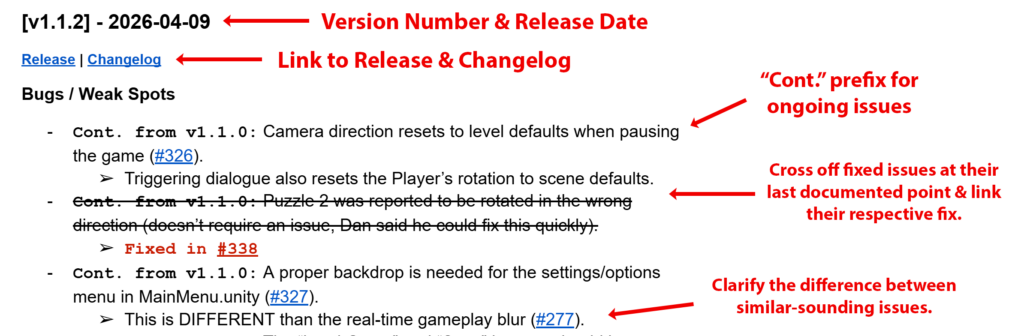
All new suggestions were prefixed with the word New, and all on-going issues were prefixed with Cont. after each subsequent release until the issue was resolved.
GitHub Actions Workflows for CI/CD Pipeline
In tandem with the releases came the CI/CD pipelines I created, which utilized GitHub Actions to remotely build and test the game for my team while we focused on tackling other deliverables. Read more about the process below.
How I Made It
My work was based on the templates provided by the open-source community GameCI, but I manually altered much of the content to best fit the needs of our game. For instance, I customized the workflow triggers, linked them with Discord webhooks for real-time notifications, and even made my own workflow for building to macOS. You can check out all these features in the other drop-down menus.
How It Works
The workflows operate by navigating the repository’s contents to find the custom build profiles I created. After pulling the customized information, the workflow follows the same instructions that Unity would follow locally, except it builds according to the guidelines defined by the workflow.
It starts by checking out the repository and restoring/pulling assets from cache. Because we were using GitHub Large File Service (LFS), the hefty binary assets were cached in advance to avoid eating up the entire bandwidth. After that, it runs automated tests and outputs a WebGL player. The WebGL player simply served as a confirmation of a successful build, which could then be performed locally without extra prerequisite tests.
Benefits
If a workflow yielded success, then it confirmed a pull request was good to be merged. However, error notifications helped significantly in finding even the smallest of bugs early on, before they grew to be catastrophic.
Read here about a game-breaking issue I found and resolved using this Unity workflow.
Automatic Workflow Triggers
I designed our workflow trigger to occur anytime a pull request (PR) was opened into the default branch main or its direct ancestor dev, rather than having to manually trigger it every time. I saved tens of hours letting the workflow perform checks while I allocated my time and energy to other aspects of the project.
Discord & GitHub Webhooks
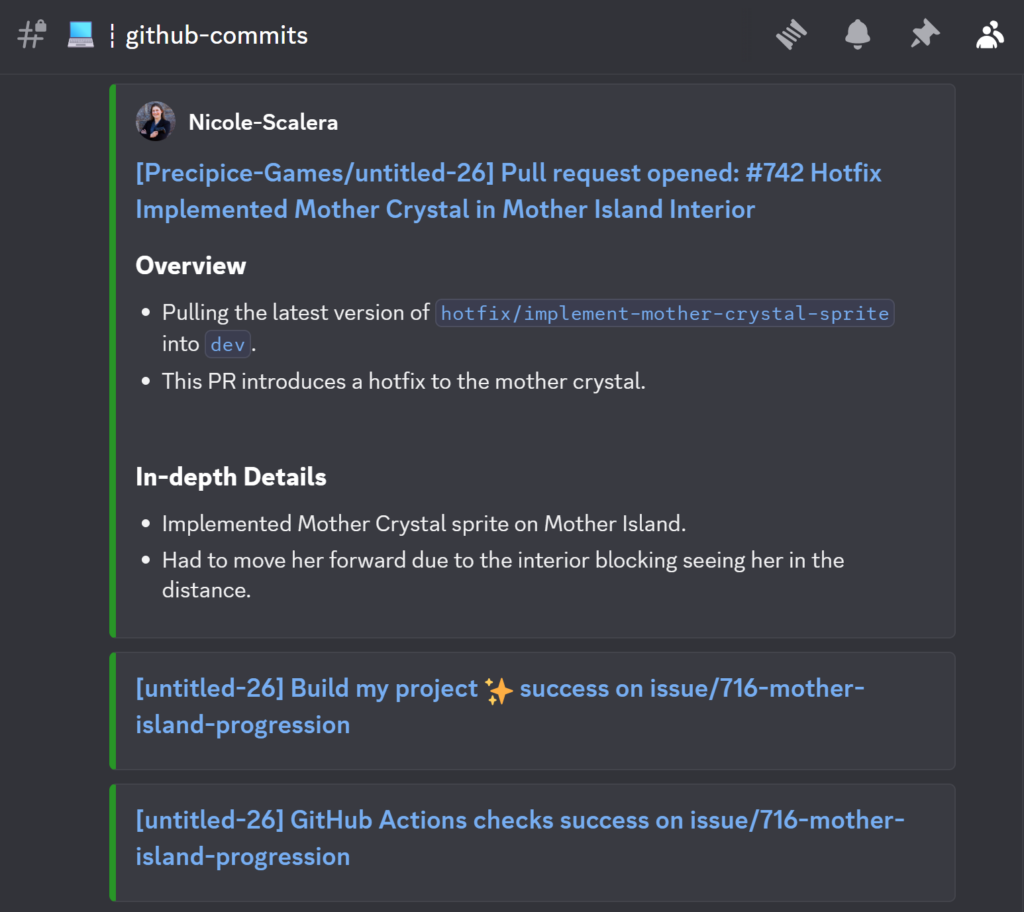
This proved very compatible with the Discord webhooks I made, which would notify me and my team if the build was a success or failure.
Although I’m a life-long Windows user, I believe that all users deserve to experience the love of play.
But when I tried to build the game for macOS and zip it, it appeared that the .app file was continuously being wiped. After a lot of research, I realized this had to do with Unity’s code signing features for macOS.
While it’s intended to safeguard macOS users, it was causing issues for my team, and so I looked into other options. That’s when I realized I could manipulate the standard workflow process (described above) to build to macOS rather than WebGL for testing purposes.
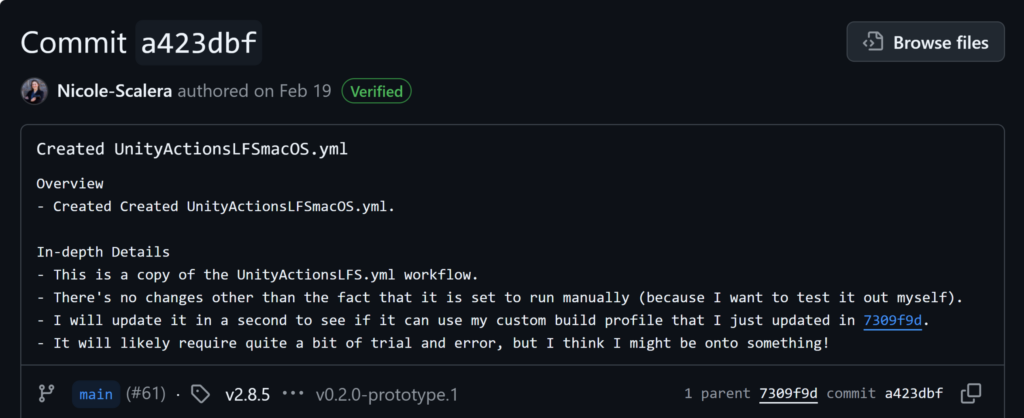
Through trial and error, I rewrote a sizable chunk of the workflow to utilize the custom macOS build profile for our game. This made versioning the game extremely easy (see more above).